Alternative Text
Describe what is important in your images so everyone can understand them.
Impact
Images, infographics, memes, and data visualizations can be powerful tools for understanding information — especially for visual learners. But what about people who cannot see them?
Alternative text (or "alt text") is a short description of an image. This makes your posts more inclusive and helps you reach a wider audience. It helps people who cannot see the image understand what it shows. They can be read aloud by screen readers or displayed on Braille devices.
Alt text makes sure that everyone (e.g., students, faculty, staff, and visitors) can get the same information, no matter how they access your website.
But alt text is not just for people with disabilities. It is also helpful:
- when someone has a slow internet connection and images will not load
- when someone wants to hear the description instead of see it
- when someone needs additional guidance breaking down complex visual information
- when you want to bring people to your profile or account based on certain keywords (i.e., search engine optimization)
- when you want artificial intelligence to generate more accurate results (e.g., identify objects)
Adding alt text is a small step that helps everyone, including you.
How to
Think of it like explaining an image to someone in a meeting or classroom. Just say what is important or the takeaways.
Decision Tree
To know how to best provide an alternative for an image, let us go through the decision tree:
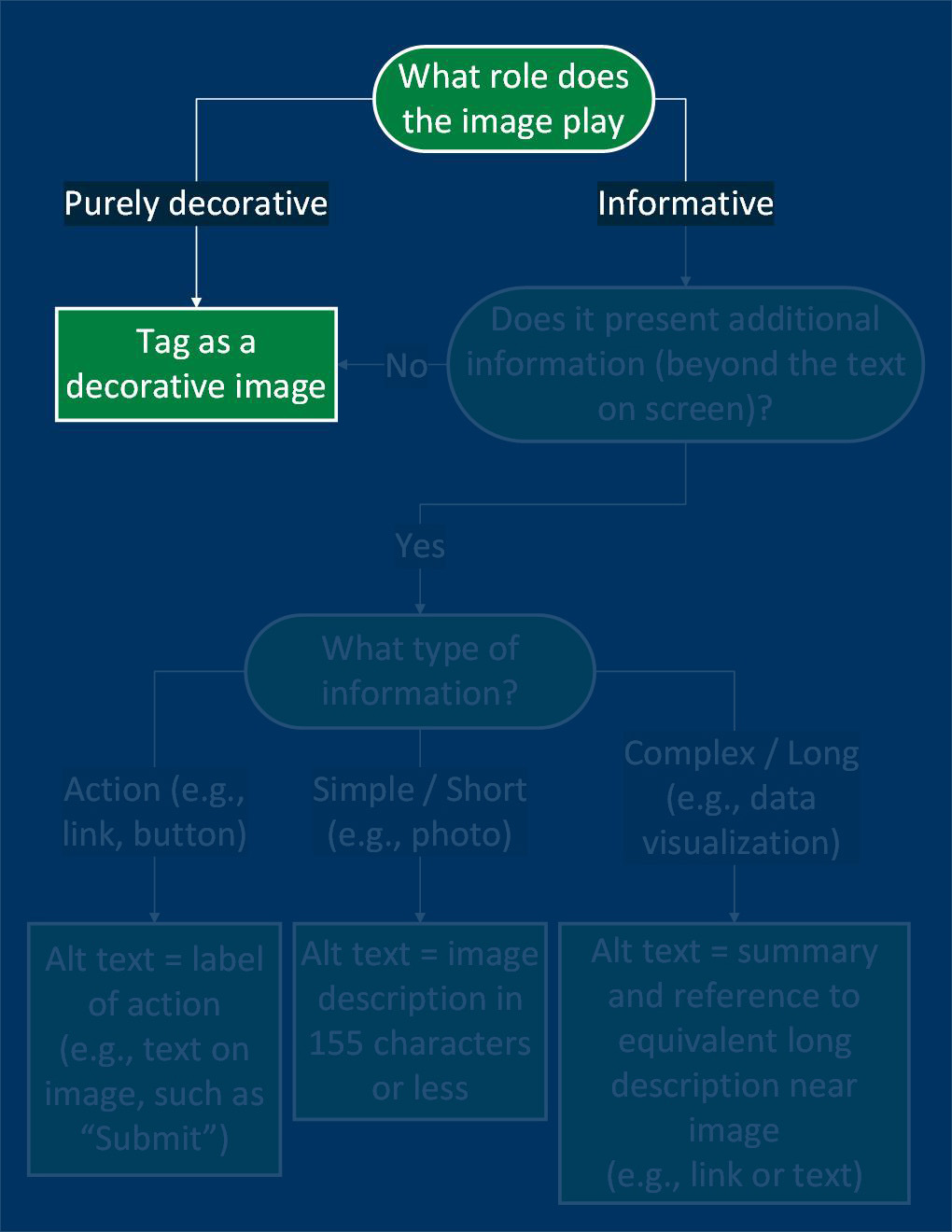
What is the purpose of the image?
- Can the image be deleted without losing information?
- Does the image provide additional mood, connection, or understanding?
If it is purely decorative, then select the image in the platform and find an option for something along the lines of "Decorative Image". Note: Most social media platforms do not have this option. Image use is intentional and provides additional meaning to the post.
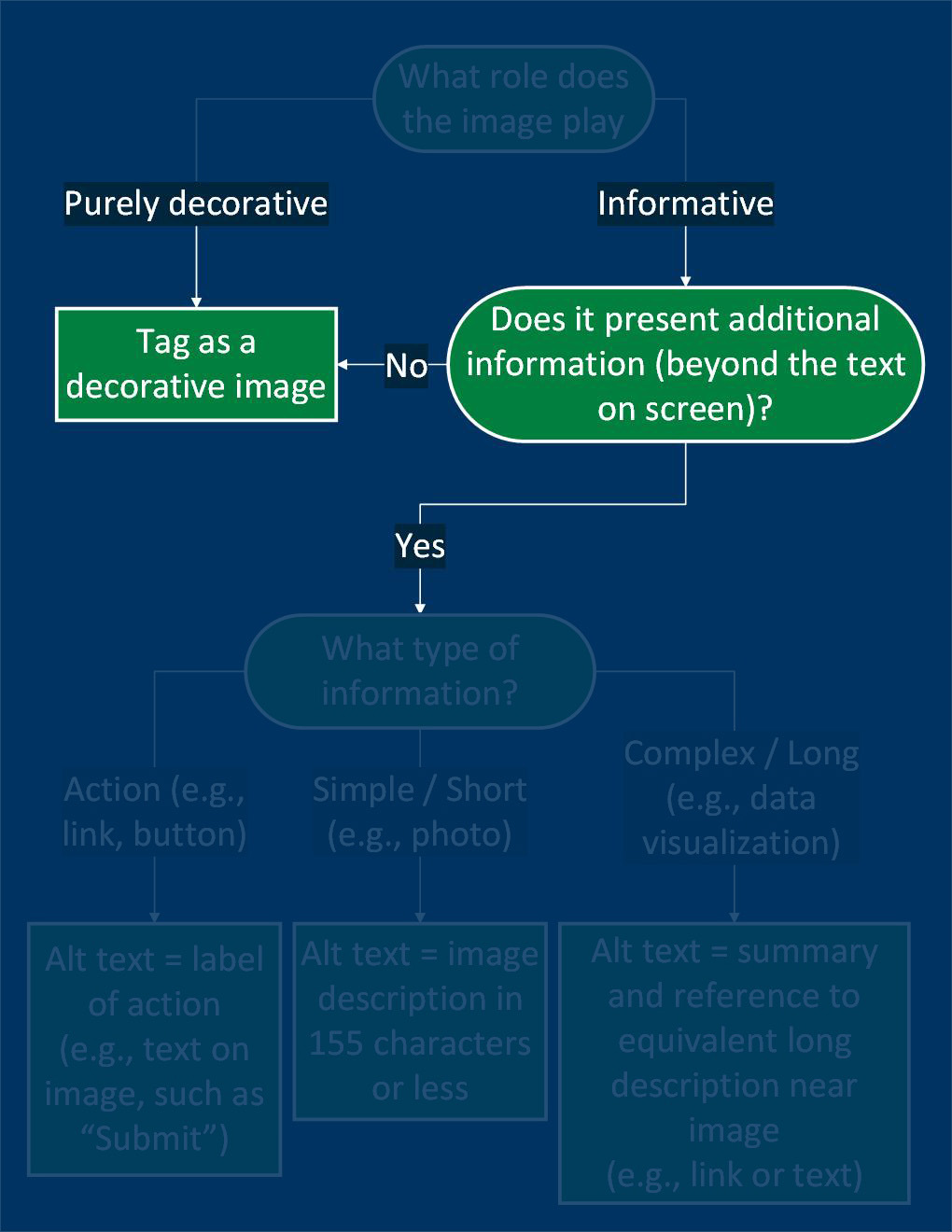
New information in the image?
- Is there text near the image that provides the same information?
- This can be in the form of paragraphs, lists, and tables of text – not images of text.
If it is purely decorative, then select the image in the platform and find an option for something along the lines of "Decorative Image". Note: Most social media platforms do not have this option. Image use is intentional and provides additional meaning to the post.
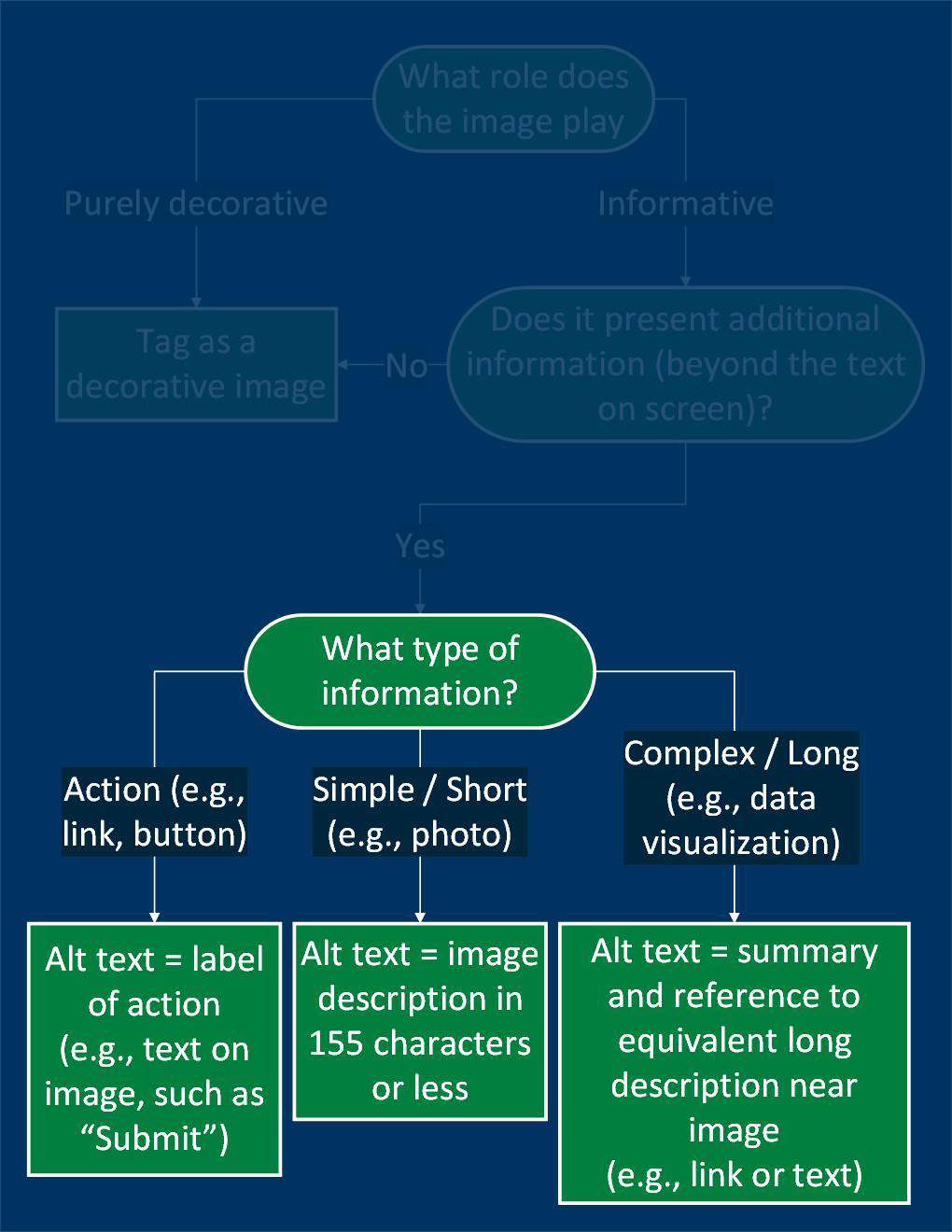
What type of information is provided?
- Action Images (like buttons or icons) (rare on social media platforms)
What to do: Use the Alt Text field to restate the action.
Example: If the image says "Submit," your alt text should be: "Submit". - Simple Images (like photos or illustrations)
What to do: Use the Alt Text field to describe the image briefly — aim for 155 characters or less.
Example: "Student smiling while studying at a library table." - Complex Images (like charts, graphs, or infographics)
What to do: Use the Alt Text field to give a short summary, and let users know where to find a longer description nearby (like in the surrounding text or a linked page).
Example: "Chart showing enrollment growth. Full description below."
Where do you add alt text for an image?
Not all social media platforms provide an option for alt text directly on an image. Some social media platforms require you to turn on the option to view alt text descriptions within your settings. If you are using a social media management tool, you need to see if they are able to update the alt text of the image into those platforms.
Best practices
Frequently asked questions
Additional guidance
You can learn more about providing good alternative text to an image through these accessibility guides: