DLAI Professional Development Calendar
Academic Year 2026-2027
October 2026
October 7, 2026 | Unlocking the Power of the Canvas Gradebook! | 2pm - 3pm, Virtual
Get more out of your Gradebook! Learn to organize and configure grade settings, streamline grading with SpeedGrader, and sync grades to Banner with confidence.
Outcomes:
- Configure Gradebook settings and organization to effectively manage and display student grades in Canvas.
- Apply SpeedGrader tips and techniques to streamline your grading workflow and improve efficiency.
- Utilize Grade Sync functionality to accurately transfer grades from Canvas to Banner.
Register for the Canvas Gradebook 10/7 session here.
October 8, 2026 | Scenarios, AI, and You: Crafting Next-Gen Assessments | 9am to Noon | Face to face, Room LIB 126
Ready to reimagine your assessments? Explore the TAMUS AI framework and learn to design, refine, and evaluate scenario-based assessments powered by AI. This session features TAMU-CC Faculty: Dr. Colleen Eaves and Dr. Katie Walker. Light refreshments will be provided.
Outcomes:
- Identify the capabilities of the TAMUS AI framework.
- Explore scenario-based assessment and feedback strategies.
- Apply AI tools to design scenario-based assessments.
- Evaluate and refine AI-Generated Assessment content.
Register for the Scenarios, AI, and You Workshop.
October 13, 2026 | Faculty Accessibility Training Series: PDF | Virtually from 9am – 11am via Zoom
PDFs giving you trouble? Learn to use Ally to spot accessibility issues and apply built-in tools to make your PDF documents accessible to all students.
Outcomes:
- Utilize Ally to determine the accessibility needs of your course.
- Apply accessibility fixes using built-in tools in Microsoft, Adobe, and other multimedia.
- Review the available accessibility resources.
November TBD, 2026 | Reflections on Quality: A Faculty-Student Panel on QM-Certified Courses
Hear directly from faculty and students about the real impact of QM-certified courses—from teaching experiences to course evaluations and student perspectives. This session features TAMU-CC Faculty.
Outcomes:
- Reflect on faculty experiences and perceptions of teaching QM-certified courses.
- Describe the impact of QM-certified courses on course evaluations.
- Examine student perspective on QM-designed courses.
January 12, 2027 | "Canvas Boot Camp" Faculty Training| 9am – 11am, face to face, room TBA
Kick off the semester with a hands-on Canvas refresher! We will cover course setup, content creation, quizzes, and grading tools like SpeedGrader. Perfect for new and returning faculty.
Outcomes:
- Discuss Canvas course management and navigation.
- Demonstrate best practices for creating content, assignments, and quizzes in Canvas.
- Explore and demonstrate SpeedGrader and grading capabilities in Canvas.
Register for Canvas Boot Camp | Add In-Person to Calendar.
Seating for face-to-face training is limited.
January 14, 2027 | "Canvas Boot Camp" Faculty Training| 2pm - 4pm, virtual
Kick off the semester with a hands-on Canvas refresher! We will cover course setup, content creation, quizzes, and grading tools like SpeedGrader. Perfect for new and returning faculty.
Outcomes:
- Discuss Canvas course management and navigation.
- Demonstrate best practices for creating content, assignments, and quizzes in Canvas.
- Explore and demonstrate SpeedGrader and grading capabilities in Canvas.
Register for Canvas Boot Camp | Add Virtual Session to Calendar.
Seating for face-to-face training is limited.
January 14, 2027 | Grading Best Practices to Support Student Success | Face to Face, Time and Room TBA
Take the guesswork out of grading! Learn how to set up your Canvas Gradebook, speed up your workflow with SpeedGrader, sync grades to Banner, and give students clear insight into their progress. This session features TAMU-CC Faculty.
Outcomes:
- Configure Gradebook settings and organization to effectively manage and display student grades in Canvas.
- Apply SpeedGrader tips and techniques to streamline your grading workflow and improve efficiency.
- Utilize Grade Sync functionality to accurately transfer grades from Canvas to Banner.
- Implement strategies and best practices to improve grade transparency and ensure students have clear visibility into their academic progress.
January 29, 2027 | QM Conversations: A Faculty and Instructional Designer Panel with TAMU-CC and TAMIU | Time TBA, virtual broadcast with face to face watch party (room TBA)
Wondering what a QM course review really involves? Join faculty and instructional designers from two institutions as they share the process, challenges, and practical strategies for success. This session features TAMU-CC Faculty.
Outcomes:
- Explore the Quality Matters course review process by gaining an overview of the steps, standards, and expectations involved in participating in a formal course review.
- Reflect on the experiences of peer institutions by hearing firsthand accounts from panelists about the successes, challenges, and lessons learned throughout their Quality Matters review journey.
- Identify practical strategies for navigating the course review process that can be applied to your own course design and preparation for Quality Matters participation.
February 8, 2027 - March 1, 2027 | Digital Course Design and Instruction (DCDI) Workshop Course
In this hands-on workshop, you will explore the foundational principles of backward design to build your courses with purpose. You will create a course map that aligns objectives, assessments, activities, and content, ensuring a cohesive and intentional learning experience. You'll also review best practices for maintaining compliance in online courses and discuss strategies for designing and delivering engaging, effective online instruction.
By the end of this workshop, you will have the tools and insights needed to create high-quality, student-centered courses in any digital format.
Outcomes:
- Apply Backward Design concepts to the development of your own course.
- Create a course map featuring aligned objectives, assessments, content, and learning activities for a portion of your course.
- Review best practices for ensuring the compliance of your online course.
- Discuss best practices in online course design and delivery.
All new faculty are added to this course automatically. Any other interested faculty can contact us at dlai@tamucc.edu to join this Spring'27 cohort.
All In For Student Success Conference (February 2027 - Dates TBA) | Various Sessions | Times and Rooms TBA
AI Meets Canvas: Uncovering Learning Gaps and Strengths in Your Assessments
Let AI do some detective work! Learn how to analyze your Canvas assignment and quiz data with AI to uncover learning gaps and improve your assessments.
Outcomes:
- Explore how AI tools can be used to analyze Canvas assignment and quiz data to uncover learning gaps and strengths.
- Interpret AI-generated insights to diagnose problem areas in assessment design.
- Apply AI-driven recommendations to revise and improve assignment instructions, quiz questions, and overall assessment quality.
Designing Smarter Courses: A Guide to Free AI
Work smarter, not harder! Explore free AI tools like Framework, Notebook LM, and Khanmigo, plus prompts and strategies for creating high-quality course materials. This session features TAMU-CC Faculty.
Outcomes:
- Explore a variety of free AI tools, including Framework, Notebook LM, and Khanmigo, and explore how each can be leveraged to support student engagement and success in your courses.
- Apply effective starting prompts and strategies to utilize AI tools in creating high-quality course materials, resources, and communications that enhance the learning experience.
February 24, 2027 | Grading Best Practices to Support Student Success | Face to Face, Time and Room TBA
Take the guesswork out of grading! Learn how to set up your Canvas Gradebook, speed up your workflow with SpeedGrader, sync grades to Banner, and give students clear insight into their progress. This session features TAMU-CC Faculty.
Outcomes:
- Configure Gradebook settings and organization to effectively manage and display student grades in Canvas.
- Apply SpeedGrader tips and techniques to streamline your grading workflow and improve efficiency.
- Utilize Grade Sync functionality to accurately transfer grades from Canvas to Banner.
- Implement strategies and best practices to improve grade transparency and ensure students have clear visibility into their academic progress.
March 2, 2027 | Harnessing AI in the Classroom - Faculty Showcase | Virtual broadcast with face to face watch party, room and time TBA
Get inspired! Join fast-paced, faculty-led presentations showcasing creative ways your colleagues are using AI in the classroom—and connect with a community exploring what's next. This session features TAMU-CC Faculty.
Outcomes:
- Discover diverse and innovative ways faculty are integrating AI into course design and instruction through engaging, faculty-led ignite-style presentations that highlight real classroom applications.
- Gain inspiration and practical ideas from peer faculty experiences with AI, including strategies, tools, and approaches that can be adapted and applied to your own teaching context.
- Connect with a growing community of faculty who are actively exploring and experimenting with AI in teaching and learning, fostering ongoing collaboration and knowledge sharing beyond the showcase.
March 25, 2027 | Utilizing Accessibility Features for Student Success: A Proactive vs Reactive Approach | Virtual, time TBA
Get ahead of accessibility challenges! Learn the difference between proactive and reactive approaches and how to build accessible Spring '27 courses from the ground up.
Outcomes:
- Distinguish between proactive and reactive approaches to accessibility and recognize the benefits of embedding accessibility considerations early in the course design process.
- Identify key accessibility strategies and best practices that can be intentionally incorporated during the planning and creation of your Spring '27 courses.
- Apply accessible course design techniques to create a learning environment that supports the success of all students from the outset.
April 2027 | Community of Practice: AI Prompts for Quality Course Design and Instruction | More information coming soon!
August 2026
August 18, 2026 | "Canvas Boot Camp" Faculty Training| 9am – 11am (Virtual) and again from 2pm – 4pm (face to face in OCNR 241).
Kick off the semester with a hands-on Canvas refresher! We will cover course setup, content creation, quizzes, and grading tools like SpeedGrader. Perfect for new and returning faculty.
Outcomes:
- Discuss Canvas course management and navigation.
- Demonstrate best practices for creating content, assignments, and quizzes in Canvas.
- Explore and demonstrate SpeedGrader and grading capabilities in Canvas.
Join the Canvas Boot Camp virtual Zoom session. (Code: 191322)
Seating for face-to-face training is limited.
August 19, 2026 | Grading Best Practices to Support Student Success | 2 pm - 3:30 pm (face to face in OCNR 241)
Take the guesswork out of grading! Learn how to set up your Canvas Gradebook, speed up your workflow with SpeedGrader, sync grades to Banner, and give students clear insight into their progress. This session features TAMU-CC Faculty.
Outcomes:
- Configure Gradebook settings and organization to effectively manage and display student grades in Canvas.
- Apply SpeedGrader tips and techniques to streamline your grading workflow and improve efficiency.
- Utilize Grade Sync functionality to accurately transfer grades from Canvas to Banner.
- Implement strategies and best practices to improve grade transparency and ensure students have clear visibility into their academic progress.
Register for Grading Best Practices - 8/19
August 20, 2026 | Simple Syllabus Faculty Training | Virtual (via Zoom), 2pm - 3pm
Discover how Simple Syllabus integrates with your LMS to create a polished, accessible, and student-friendly syllabus in minutes.
Outcomes:
- Navigate the Simple Syllabus platform to understand its core features and functionality, and how it integrates with your LMS to create a centralized and accessible syllabus experience for students.
- Enhance the student syllabus experience by utilizing Simple Syllabus features that improve readability, accessibility, and navigation, ensuring students can easily locate and engage with key course information.
Register for the Simple Syllabus Training - 8/20
August 26, 2026 | Designed for Quality, Built for Recognition: A Faculty Guide to QM-Reviewed Course Development | 2 pm - 3 pm, Virtual
Thinking about submitting your own course for external peer review? Start here!
Join us for a faculty-focused introduction to Quality Matters and the course development process at TAMU-CC.
Link to the Designed for Quality, Built for Recognition session Zoom.
During this session, participants will:
- Recognize the QM standards and their application.
- Explore the QM-Aligned design process for course development at TAMU-CC.
- Review strategies for preparing the course for Official QM review and recognition.
Register for the Designed for Quality, Built for Recognition session. (Program application is below).
Faculty interested in taking the next step can apply for the DLAI Quality Assurance Program 2026, a two-semester program that provides individualized instructional design support, course development resources, and a $1,500 stipend upon successful completion.
Space is limited to 10 participants. Applications will be accepted until August 30th at 11:59 PM. Selected faculty will be notified by September 2nd EOD.
Apply to be part of the DLAI Quality Assurance Program Cohort.
September 11, 2026 | Honorlock Online Proctoring Faculty Training | Virtual
- 1-2:30 PM Honorlock Analytics and Training
- 2:30 - 3:00 PM Honorlock Q&A
Protect the integrity of your online assessments. Learn practical strategies for proctoring with Honorlock and how to confidently interpret and respond to proctoring flags.
Outcomes:
- Utilize effective strategies for proctoring success.
- Explore practical tips for successfully implementing Honorlock’s proctoring services.
- Interpret and address the proctoring flags to enhance the integrity of your assessments.
Register for the Honorlock training on 9/11 here.
September 14, 2026 - October 5, 2026 | Digital Course Design and Instruction (DCDI) Workshop Course
In this hands-on workshop, you will explore the foundational principles of backward design to build your courses with purpose. You will create a course map that aligns objectives, assessments, activities, and content, ensuring a cohesive and intentional learning experience. You'll also review best practices for maintaining compliance in online courses and discuss strategies for designing and delivering engaging, effective online instruction.
By the end of this workshop, you will have the tools and insights needed to create high-quality, student-centered courses in any digital format.
Outcomes:
- Apply Backward Design concepts to the development of your own course.
- Create a course map featuring aligned objectives, assessments, content, and learning activities for a portion of your course.
- Review best practices for ensuring the compliance of your online course.
- Discuss best practices in online course design and delivery.
All new faculty are added to this course automatically. Any other interested faculty can contact us at dlai@tamucc.edu to join this Fall '26 cohort.
September 14, 2026 | Course Library Faculty Training | LIB Room 126 (Active Learning Classroom), 10 - 11 AM
Connect your students to the resources they need—the right way. Learn to use the Course Library to link readings and materials while avoiding copyright and accessibility pitfalls. This session features TAMU-CC Faculty.
Outcomes:
- Explore the capabilities of the Course Library to connect students to materials in the library and online.
- Utilize the Course Library to avoid copyright infringement and accessibility issues.
- Discuss best practices for utilizing Leganto/Course library features and organizational tools to create a clear and structured reading list that enhances student experience.
September 16, 2026 | From Blueprint to Breakthrough: The Power of Course Mapping from the Faculty Perspective | 2pm - 3pm via Zoom
Discover why a course map is your best friend in course design! Hear faculty insights and best practices for mapping out a course that connects objectives, activities, and assessments. This session features panelists Dr. Lisa Comparini and Dr. Frances Johnson.
Outcomes:
- Recognize the purpose and value of a course map in course development.
- Explore faculty insights from the course mapping experience.
- Identify best practices for collaborative course mapping.
Register for the "Blueprint to Breakthrough" session.
September 22, 2026 | Faculty Accessibility Training Series: Microsoft Word and PPT | 9am – 11am (Face to face in LIB 126) and again virtually 2pm - 4pm
Make your course materials work for everyone! Learn to use Ally to identify accessibility needs and apply quick fixes in Word and PowerPoint using built-in tools.
Outcomes:
- Utilize Ally to determine the accessibility needs of your course.
- Apply accessibility fixes using built-in tools in Microsoft, Adobe, and other multimedia.
- Review the available accessibility resources.
Register for the MS Word and PPT Accessibility Training here.
September 25, 2026 | Embracing AI in Writing with Grammarly | Virtual, 11 Am - Noon
Curious about AI in the writing process? Explore Grammarly's features, including the Authorship Report, and hear how colleagues are putting these tools to work in their courses. This session features faculty panelist Dr. Sinae Lee.
Outcomes:
- Identify key Grammarly features, such as the Authorship Report, and recognize how they can be applied within your own teaching context.
- Explore real-world use cases, successes, and lessons learned from colleagues who have integrated Grammarly into their courses.
Academic Year 2025-2026
Previous training offerings.April 1st | “Accessibility is No Joke!” | 2-4 PM, Mary and Jeff Bell Library, room 126
Wrap up the semester by putting your accessibility knowledge into action. Drop in with your Canvas Ally reports and work alongside DLAI staff to identify your “Top 4 to Fix.” You’ll leave with practical, card-style handouts covering common accessibility issues, such as alt text, headings, PDFs, and color contrast, and have time to share ideas and celebrate progress with colleagues.
Outcomes:
- Review your Ally report to identify four high-impact accessibility fixes.
- Apply strategies for addressing common barriers (alt text, headings, PDFs, color contrast).
- Share one accessibility success or strategy to help foster a supportive, continuous-improvement culture.
Register for the Accessibility Is No Joke session here.
AI-Driven Filmmaking: Applications in the Classroom | Part of the Surfing the Waves of AI: Monthly Webinar series by TAMU-CC faculty in partnership with CATIE
📅Wednesday, April 22nd
🕑11 AM to Noon
📍Virtual, via Zoom
Meeting ID: 975 6190 9401
Passcode: 109735
Online Test Proctoring Demonstrations for Active Request for Proposals (RFP)
As part of our ongoing commitment to supporting test integrity for our academic programs, Texas A&M University-Corpus Christi recently advertised a Request for Proposals (RFP) for comprehensive online test proctoring services.
After a thorough review of the proposals received, we are pleased to announce that our RFP workgroup has extended invitations to four vendors to move forward in our RFP evaluation process.
These online test proctoring services include: Honorlock, Proctorio, Respondus, and YuJa. These finalists have been invited to provide detailed demonstrations of their online test proctoring services. The committee’s goal is to select a partner that prioritizes a seamless user experience for both faculty and students.
Faculty Involvement
Your insight is invaluable to this selection process. We will be hosting virtual vendor demonstration sessions via Teams on the following dates.
- Proctorio, Tuesday, April 28, 10-11 a.m.
- Microsoft Teams Meeting Link for Proctorio
- Meeting ID: 253 401 202 860 85
-
Passcode: aV2cg9bW
- Yuja, Tuesday, April 28, 1-2 p.m.
- Microsoft Teams Meeting Link for Yuja
- Meeting ID: 266 142 685 802 718
-
Passcode: Na9w8R6m
- Honorlock, Thursday, April 30, 10-11 a.m.
- Microsoft Teams Meeting Link for Honorlock
- Meeting ID: 252 091 699 517 420
-
Passcode: HW2vc7tg
- Respondus, Thursday, April 30, 1-2 p.m.
- Microsoft Teams Meeting Link for Respondus
- Meeting ID: 264 416 661 156 553
- Passcode: 5Nk9ES78
We encourage you to attend these online test proctoring demonstrations to evaluate how these services best meet faculty and student needs. All demonstrations will be recorded, and video recordings will be sent out via email once all demonstrations have concluded.
Please use this survey form to provide feedback on each of the demonstrations you attend. We will compile the feedback and make it available to the RFP workgroup. Thank you for your continued dedication to academic excellence and for your participation in this important institutional decision.
March 6th | Video debut - “Spring Cleaning for Your Courses” Accessibility Refresh
Think of this as a light, manageable tune-up rather than a deep clean! A short “Spring Cleaning for Accessibility” video will help you spot common issues with Canvas Ally and make quick adjustments as you prepare mid-semester content. This video will support easy, ongoing accessibility improvements.
Outcomes:
- Review Ally reports to identify quick, high-value accessibility updates.
- Prioritize a short list of items (e.g., images, PDFs, pages) for clean-up.
March 19th | Unlock Canvas Gradebook! | 10 am to 11 am Via Zoom
DLAI is excited to offer Canvas Gradebook training via Zoom just in time to help you prepare for midterm grading. This hands-on session will guide you through Gradebook settings and organization, provide practical SpeedGrader tips to streamline your grading workflow, and demonstrate how to use Grade Sync functionality to automatically send grades from Canvas to Banner. Whether you’re looking to improve efficiency or ensure accurate grade reporting, this session will equip you with strategies you can apply right away.
Register for this Gradebook session here.
March 31th | The AI Augmented Scholar | Part of the Surfing the Waves of AI: Monthly Webinar Series by TAMU-CC Faculty in partnership with CATIE | 2 PM to 3 PM via Zoom.
Individual session times and dates will be announced soon. You will receive a calendar invite including Zoom links for each when you register for the series.
February 3rd | Instructor Training for Honorlock Online Proctoring | 2 PM to 3 PM (Webinar)
DLAI invites you to attend an upcoming virtual Honorlock training session hosted by our partners at Honorlock. This session is designed to support faculty in effectively managing both Canvas quizzes and third-party exams within the proctoring system. This one-hour session will conclude with an open Q&A to address any faculty questions.
Join the Honorlock training via Zoom here.
February 9th through 27th | "Digital Course Design and Instruction" (DCDI) Faculty Workshop (Spring Cohort)| Fully online, asynchronous via Canvas.
The Digital Course Design and Instruction (DCDI) workshop offered by DLAI; will help you explore the foundational principles of backward design to develop your courses effectively. This is a 20-hour asynchronous online workshop with firm due dates. All new faculty will be automatically invited to join the course. If you are an existing faculty member who is interested in joining, please reach out to DLAI at dlai@tamucc.edu
Upon successful completion of this course, faculty will be able to:
- Apply Backward Design concepts to the development of their own course.
- Create a course map featuring aligned objectives, assessments, content, and learning activities for a portion of their course.
- Review best practices for ensuring the compliance of their online course.
- Discuss best practices in online course design and delivery.
February 13th | Multiple Sessions @ All In for Student Success! | Noon to 4:30 PM
All In for Student Success will be held on Friday, Feb. 13, from noon to 4:30 p.m. in the Center for Instruction Building (CI). This event provides faculty and staff with opportunities to learn about programs, services and initiatives offered across campus to support student learning and well-being.
DLAI sessions include:
- Quality Matters in Action: Designing Courses that Support Student Success | 1 PM to 2 PM in CI 108
- In this session, Dr. Alexandra Janney will introduce the Quality Matters (QM) framework and highlight how its research-based standards support student success in online and blended courses. Participants will explore how intentional quality course design—focused on clear learning objectives, aligned assessments, accessible content, and learner engagement—can improve student outcomes. Participants will hear from Dr. Mohan Rao, a faculty member who completed a QM course review, and learn how intentional course design—focused on alignment, clarity, accessibility, and engagement will lead to meaningful improvements in the students' learning experience.
- Presenters: Dr. Mohan Rao and Dr. Alexandra Janney
- Top Canvas Tools to Support Student Success | 2:15 PM to 3:15 PM in CI 112
- Join Digital Learning and Academic Innovation (DLAI) for an engaging session focused on several high-impact tools—Communication, Feedback, Grades, the Calendar, and Discussions—and how intentional use of each can help students stay organized, engaged, and informed throughout your course. Participants will explore strategies for using these tools to set clear expectations, reduce student confusion, promote timely feedback, and encourage meaningful interaction. Faculty will leave with concrete tips and examples they can immediately apply to help our Islanders navigate their courses more effectively and participate successfully in digital learning.
- Presenters: The DLAI Team
February “Small Changes, Big Impact” Rolling Road Show – Continued Visits
We’ll keep the momentum going with additional pop-up visits across campus. The DLAI team will host brief pop-up sessions around campus highlighting simple yet high-impact accessibility practices, such as adding alt text, using headings effectively, and reviewing Ally reports. Stop by, pick up a quick reference, ask questions, and walk away with a few easy ideas you can try right away!
Outcomes:
- Demonstrate how accessibility tools such as Ally support student learning and access.
- Interpret basic Ally indicators and identify priority areas for improvement.
- Apply at least two document accessibility techniques (e.g., headings, lists, descriptive links).
- Locate campus resources and guides for continued accessibility support.
Locations and Times:
- February 10th, 1:30 PM to 3:30 PM - RFEB 212
- February 13th, 9:30 AM to 11:30 AM - IH 323
- February 18th, 1:30 PM to 3:30 PM - CS 104
- February 19th, 9:30 AM to 11:30 AM - FC 207
February 26th | Machine Learning and Human Writing: Large Language Models and Text Production from a Humanist Perspective | Part of the Surfing the Waves of AI: Monthly Webinar Series by TAMU-CC Faculty in partnership with CATIE | 11 AM to Noon via Zoom.
Additional session times and dates will be announced soon. You will receive a calendar invite including Zoom links for each when you register for the series.
January 14th "Canvas Boot Camp" Faculty Training via Zoom from 9 to 11 AM | Session repeated in-person on January 15th from 9 to 11 AM in OCNR 241.
Kick off the semester with a hands-on Canvas refresher! We will cover course setup, content creation, quizzes, and grading tools like SpeedGrader. Perfect for new and returning faculty.
Outcomes:
- Discuss Canvas course management and navigation.
- Demonstrate best practices for creating content, assignments, and quizzes in Canvas.
- Explore and demonstrate SpeedGrader and grading capabilities in Canvas.
Register for Canvas Boot Camp | Add Zoom to Calendar | Add In-Person to Calendar.
Seating for face-to-face training is limited.
Surfing the Waves of AI: Monthly Webinar Series by TAMU-CC Faculty
The first AI webinar in the series will take place on January 28th from 2 PM to 3 PM and will feature Dr. Christopher Benedetti.
Additional session times and dates will be announced soon.
You will receive a calendar invite including Zoom links for each when you register for the series.
January “Small Changes, Big Impact” Rolling Road Show – Faculty Accessibility Pop-Up Sessions
Kick off the semester with approachable, low-stress accessibility tips that fit easily into your workflow. The DLAI team will host brief pop-up sessions around campus highlighting simple yet high-impact accessibility practices, such as adding alt text, using headings effectively, and reviewing Ally reports. Stop by, pick up a quick reference, ask questions, and walk away with a few easy ideas you can try right away!
Outcomes:
- Demonstrate how accessibility tools such as Ally support student learning and access.
- Interpret basic Ally indicators and identify priority areas for improvement.
- Apply at least two document accessibility techniques (e.g., headings, lists, descriptive links).
- Locate campus resources and guides for continued accessibility support.
Locations and Times:
- January 28th, 9:30 AM to 11:30 AM - Bay Hall Conference Room BH 359, College of Liberal Arts / School of Arts, Media, and Communication
- January 29th, 2 PM to 4 PM - Buckley Conference Room OCNR 363, College of Business
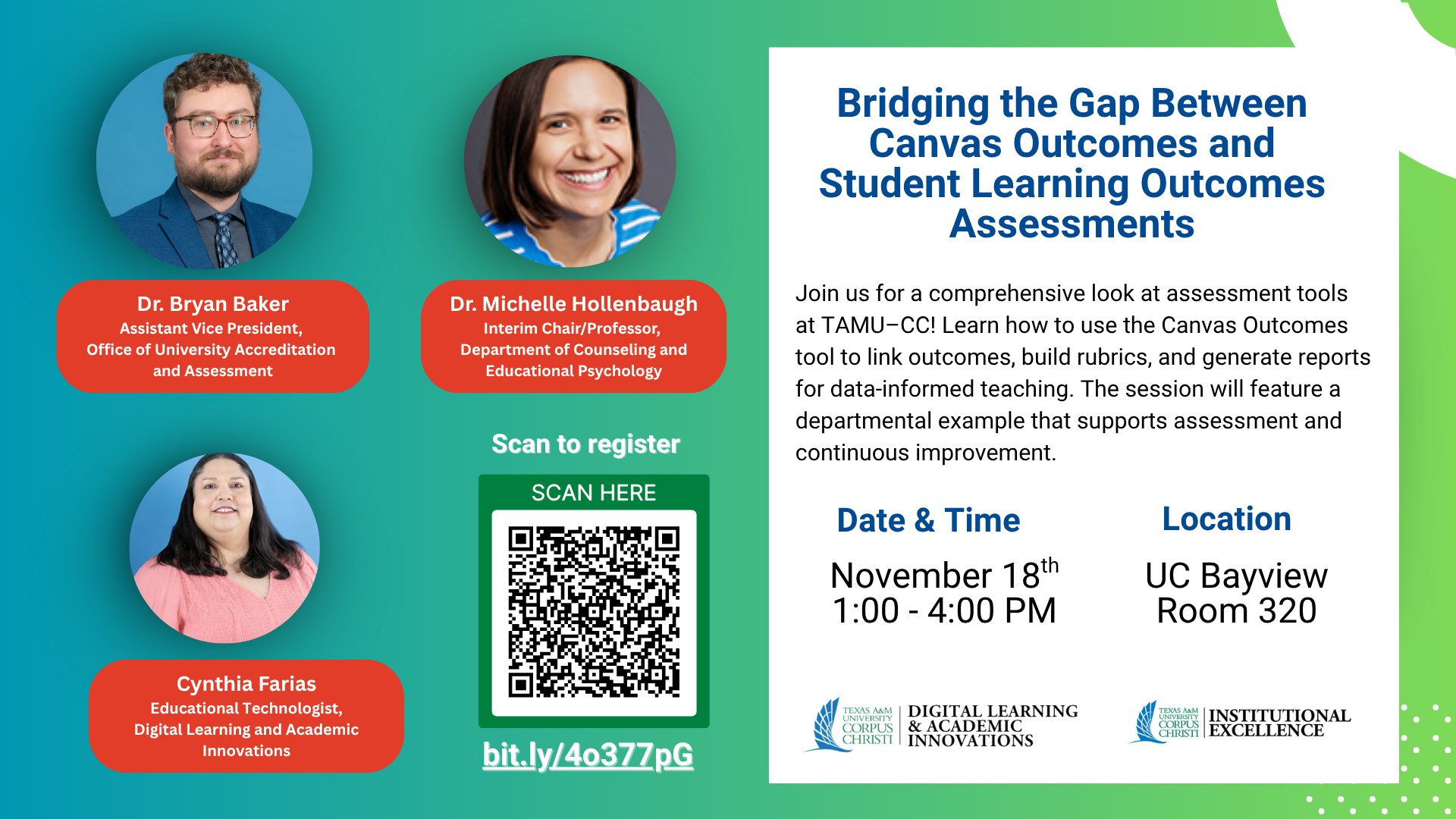
Bridging the Gap Between Canvas Outcomes and Student Learning Outcomes Assessments
November 18, 1-4 pm. UC Bayview (rm 320). Light refreshments will be provided for attendees.
Join us for a comprehensive look at assessment tools at TAMU–CC. Participants will learn the practical steps for utilizing the Canvas Outcomes tool, including importing outcomes to Canvas, linking outcomes to assignments, using Canvas rubrics with outcomes, and exploring reporting options to track learning outcomes and inform data-driven teaching decisions. The workshop will also feature a department’s example of implementation for its respective programs and highlight additional tools available at TAMU–CC that support assessment reporting, offering a well-rounded view of strategies to strengthen continuous improvement efforts.
Presenters: Dr. Bryan Baker, Assistant Vice President for Institutional Excellence, Division of Institutional Excellence; Dr. Karen Michelle Hunnicutt Hollenbaugh, Professor & Interim Department Chair, Counseling and Educational Psychology; Cynthia Farias, Educational Technologist, Digital Learning and Academic Innovations.
Outcomes:
- Discuss the purpose and function of the Outcomes tool in Canvas for measuring learning objectives and program alignment.
- Implement outcomes in a Canvas course by linking them to quizzes or assignment rubrics.
- Analyze student performance data from Canvas Outcomes to inform instructional decisions and continuous improvement.
November 12th & 13th| DLAI @ EPIC (Ethics • Professionalism • Innovation • Compliance) Conference 2025!
The DLAI Team will have multiple sessions at this year's EPIC Conference. Sessions include:
- Nov. 12th | Navigating the AI Landscape: Safe, Smart & Supported on Campus | 9-9:50 AM | UC Legacy 145
- Nov. 12th |Work Smarter Not Harder with MS Office Shortcuts | 10-10:50 AM | UC Legacy 145
- Nov. 12th |Creating Engaging Presentations | 2-2:50 PM | UC Lone Star 142
- Nov. 12th | Responsible AI for Higher Ed: Discover the Power of Sharpen Advantage (Vendor session with Sharpen by McGraw-Hill) | 2-2:50 PM | UC Legacy 145
- Nov. 13th | Reimagining Lesson Design with AI (Vendor session with Magicschool AI) | 11-11:50 AM | Zoom (link TBA)
We hope to see you there!
October 2025
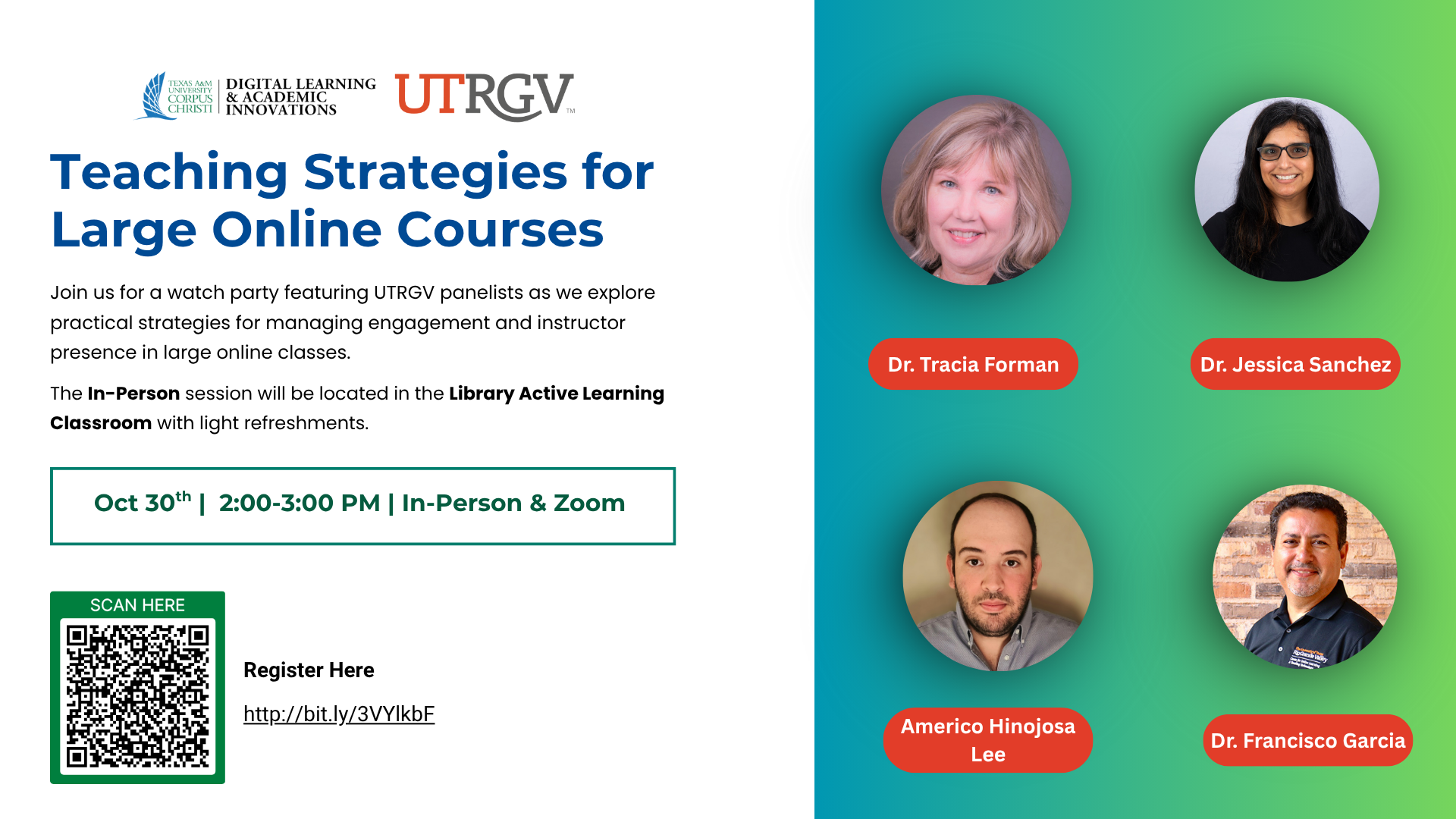
October 30th | "Teaching Strategies for Large Online Courses - Watch Party" | 2 PM to 3 PM | Hybrid meeting via Zoom and in-person @ the Mary and Jeff Bell Library Active Learning Classroom. Light snacks are provided for in-person attendees. Register for this hybrid event.
Join us for a watch party featuring UTRGV panelists as we explore practical strategies for managing engagement and instructor presence in large online classes. Learn scalable techniques to enhance interaction, feedback, and student satisfaction, whether you're teaching 30 or 300! Speakers: Dr. Tracia Forman, Associate Professor, College of Health Professions; Dr. Jessica Sanchez, Associate Director of Research and Innovation, Center for Online Learning and Teaching Technology; Americo Hinojosa Lee, Lab Supervisor Coordinator and Lecturer for Astronomy; and Dr. Francisco Garcia, Director, Center for Online Learning and Teaching Technology.
Outcomes:
- Analyze the challenges specific to managing student engagement and instructor presence in large online courses.
- Apply scalable teaching strategies (e.g., breakout groups, automated feedback, discussion facilitation) to support meaningful learning experiences.
- Design or revise course elements to improve interaction, feedback, and learner satisfaction in large-enrollment online classes.
September 3rd | "The RSI Edge: Driving Student Success Through Connection" | 2 PM to 3 PM | via Zoom. Register for the RSI Workshop. | Add the RSI Workshop Zoom to your calendar.
Transform your online courses into dynamic, interactive experiences that foster student engagement by implementing Regular and Substantive Interaction (RSI)
Outcomes:
- Define the meaning of "regular" and "substantive" interaction within online learning contexts.
- Identify key strategies to support the implementation of RSI.
- Create an individual plan of implementing RSI strategies in your courses.
September 5th | "Honorlock Exam Proctoring Training" | 2 PM to 3 PM | OCNR 135 | Register for the Honorlock Training here. |
Looking for a Smarter Way to Proctor Your Exams?
Join us for an informative and relaxed afternoon session to explore Honorlock, a powerful online exam proctoring solution.
Meet the Honorlock team, enjoy some lemonade and popcorn, and discover how their platform can support academic integrity while enhancing the testing experience. Whether you're curious or ready to implement a new solution, this training is a great opportunity to learn, ask questions, and connect with colleagues.
September 15th through October 3rd | "Digital Course Design and Instruction" (DCDI) Faculty Workshop (Fall Cohort)| Fully online, asynchronous via Canvas.
The Digital Course Design and Instruction (DCDI) workshop offered by DLAI; will help you explore the foundational principles of backward design to develop your courses effectively. This is a 20-hour asynchronous online workshop with firm due dates. All new faculty will be automatically invited to join the course. If you are an existing faculty member who is interested in joining, please reach out to DLAI at dlai@tamucc.edu
Upon successful completion of this course, faculty will be able to:
- Apply Backward Design concepts to the development of their own course.
- Create a course map featuring aligned objectives, assessments, content, and learning activities for a portion of their course.
- Review best practices for ensuring the compliance of their online course.
- Discuss best practices in online course design and delivery.
September 19th | "Creating Accessible Course Documents" |1:30 PM to 2:30 PM | Face-to-face in computer lab, OCNR 242. Register for this Accessibility Workshop.
Learn how to use built-in accessibility checkers in Canvas and Microsoft Office to create documents that can be used by all students. We will also cover simple formatting tips and tools to help you design any document with accessibility in mind.
Outcomes:
- Review built-in accessibility checkers in Canvas and MS office tools.
- Apply various style and formatting tools included in the MS Office Suite.
- Create accessible documents.
August 21st | "Canvas Boot Camp" Faculty Training | Face-to-face from 9 to 11 AM (OCNR 241), then session repeated virtually (via Zoom) from 2 PM to 4 PM. Register for either session here. | Add virtual Zoom session to calendar.
Kick off the semester with a hands-on Canvas refresher! We will cover course setup, content creation, quizzes, and grading tools like SpeedGrader. Perfect for new and returning faculty.
Outcomes:
- Discuss Canvas course management and navigation.
- Demonstrate best practices for creating content, assignments, and quizzes in Canvas.
- Explore and demonstrate SpeedGrader and grading capabilities in Canvas.
Seating for face-to-face training is limited.
Academic Year of 2024-2025
Preview previous sessions hosted by DLAI during the academic year of 2024-2025.The Texas Higher Education Coordinating Board (THECB) is pleased to announce that registration is now open for the 3rd Open Texas conference, jointly organized by the THECB and the Texas Digital Library. This year's theme, "Global Horizons of Open Education: The View from Texas," promises to broaden your perspective and ignite your passion for open educational resources (OER).
The conference committees, led by conference co-chairs, Niki Whiteside, Assistant Vice Chancellor for Instructional Innovation and Support, and Dr. Tonja Conerly, Professor of Sociology at San Jacinto College are working together to create an engaging program. The full conference schedule and keynote speakers will be announced early fall.
Event Details:
- Dates: September 25-27, 2024
- Location: Free & Virtual
- Registration: Closed
- Session Formats: Keynote speakers, pre-conference workshops, town hall with THECB and the Texas OER community, and innovative sessions
- Session Tracks: Global Collaboration and Partnerships, Technology and Open Education, Policy and Advocacy in Open Education, Student Voices in Open Education, and Sustainability Models for OER
Participants can register today for this no-cost professional development opportunity, and we invite you to forward this information to your campus community. Visit the Open Texas 2024 website to learn more about this year’s committees and conference.
THECB welcomes everyone in open education to connect at Open Texas 2024. We look forward to your institution’s participation in this OER community event.
Inquiries about Open Texas 2024 can be directed to open.ed.texas@gmail.com or Carrie Gits, Director, Digital Learning, at carrie.gits@highered.texas.gov.
"Quality Matters at TAMU-CC Kickoff" Faculty Professional and Course Development Program.
Outcomes:- Explore the Quality Matters initiative at TAMU-CC.
For full details including registration please visit our Quality Matters at TAMU-CC page.
October 9th , 2:00 PM to 3:00 PM via Zoom - "Prompt Engineering in AI" Faculty Workshop
Outcomes:
- Explore prompt engineering and its role in AI.
- Identify challenges and opportunities in prompt design and optimization.
- Explore innovative techniques and strategies for crafting effective prompts.
- Discuss the ethical considerations and implications of prompt engineering.
Learn more and add the "Prompt Engineering In AI" session to your calendar.
October 24th , 2:00 PM to 3:00 PM via Zoom - "Course Library" Faculty Workshop
Outcomes:
- Explore methods for adding citations to your Course Library
- Effectively organize materials in your course library to enhance course support.
- Identify the location of the Course Library help guide on the library's website.
Learn more and add the "Course Library" workshop to your calendar.
November 12th, 13th, and 14th - "Ethics, Professionalism, Innovation, Compliance (EPIC) Day" (Open to Faculty and Staff)
DLAI will have multiple sessions during this year's Employee Development event including:
-
“Harnessing Zoom for Effective Online Meetings” by Cynthia Farias
-
“Creating Engaging Presentations” by Lauran Guerra, MS IDET
-
“YOU and I with AI” by Rinki Suryavanshi, Phd
January 14th through 17th - "Canvas Advanced" Faculty Training Series - Registration now open!
For full details including registration and training outcomes please visit our Faculty Canvas Training page.
Topic: "Course Management Advanced"
Outcomes:
- Discuss helpful course management features in Canvas.
- Explore and demonstrate how to utilize collaborations, peer-reviews and groups in Canvas.
Topic: "Assessments, Reports, and Analytics"
Outcomes:
- Discuss the advanced analytics and reporting features in Canvas.
- Explore and demonstrate how to generate and interpret various analytics and reports available in Canvas.
Each session is approximately 1 hour long and will be offered both virtually and face-to-face (seating limited).
January 15th - Honorlock Online Proctoring Campus Visit - In Person ONLY
The Honorlock Customer Service Manager will be visiting the TAMU-CC campus! Join us to enhance your understanding of Honorlock and improve your proctoring workflows. During their visit, they will host two informative sessions:
9 AM Session: 9:00 AM – 10:00 AM, O’Connor Building, Room 240
- Effective Strategies for Proctoring Success: Learn practical tips for successfully implementing Honorlock’s proctoring services.
- Communicating Academic Integrity: Discover best practices for fostering students understanding of academic integrity.
- Add 9 AM session to calendar
10 AM Session: 10:00 AM – 11:00 AM, O’Connor Building, Room 240
- Interpret Proctoring Flags: Learn how to analyze and address the proctoring flags to enhance the integrity of your assessments.
- Explore Honorlock’s Features: Discover how to use the “Search and Destroy” feature in Honorlock to refine and secure your test content.
- Add 10 AM session to calendar
Harnessing Microlearning and Microcredentialing Faculty Panel - in person
February 12, Noon - 1 PM, University Center, Oso Room 221
Bring your own lunch and join us for a faculty and student led panel discussion on the application of Micro-learning and Micro-credentialing as potential vehicles for students' upskilling for the 21st-century workforce!
Featuring:
- Dr. Rick Smith, Executive Director of the Conrad Blucher Institute
- Dr. Matthew Starliper, Associate Professor of Accounting at the TAMU-CC College of Business
- Nicholas Hinojosa, Assistant Professor of Computer Science at South Texas College
- Aurelia O’Neil, Doctoral Candidate from College of Education and Human Development
Discover these concepts and discuss the innovative strategies utilized by TAMU-CC faculty, students, and your South Texas peers! Add this panel event to your calendar.
Outcomes:
- Define Micro-learning and Micro-credentialing.
- Explore strategies being utilized by faculty to implement micro-credentialing in their courses.
- Discuss impact on student success.
Open the drop downs for each month to see upcoming professional development and training information and registration details.
July 16th, 2pm- "AI's Impact on Assessment Culture: Driving Exam Innovation and Integrity"
AI is rapidly changing how assessments are created, delivered, and safeguarded in higher education. The key isn’t resisting the change—it’s leading it.
In this 30-minute Ed Talk, Heather Medley, an instructional designer at South Plains College, will share how her team leverages AI tools like ChatGPT to enhance assessments, boost student engagement, and uphold exam integrity. You’ll gain strategies you can use right away to improve outcomes while staying ahead of evolving AI trends.
You’ll learn how to:
- Design AI-enhanced assessments that foster critical thinking
- Stay on top of emerging AI capabilities and faculty training
- Identify and block AI chat tools used inappropriately during exams
- Build a healthy, ethical assessment culture that supports student success
This is your opportunity to get ahead of the curve with clear, practical insights.
Register HereThis event is provided by Honorlock